This section explains the Play Sound functionality and its settings.
Play Sound Functionality
The "Play Sound" step plays the specified sound. This is useful when you want to be notified by sound about the execution status of a scenario.
Play Sound Settings
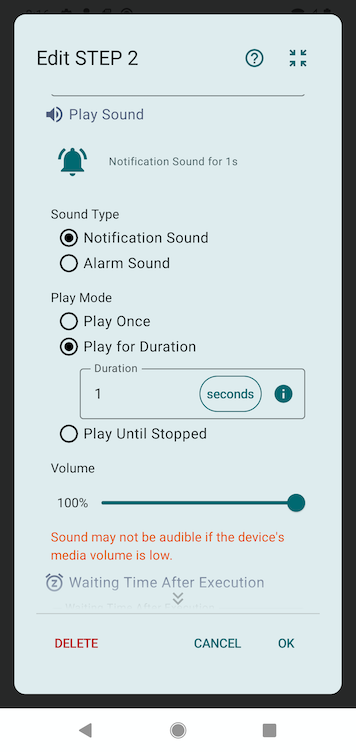
Sound Type
Select the type of sound to play.
- Notification Sound: Plays a short notification sound
- Alarm Sound: Plays an alarm sound
Play Mode
Select how the sound should be played.
- Play Once: Plays the sound only once, then immediately proceeds to the next step
- Play for Duration: Plays the sound repeatedly for the specified duration. The scenario will not proceed to the next step until playback is complete
- Play Until Stopped: A dialog is displayed while the sound is playing, and the sound will continue to play repeatedly until the user taps "Stop Sound" in the dialog
Duration
Displayed when the play mode is set to "Play for Duration". Specifies how long to play the sound.
Volume
Sets the volume of the sound. Can be specified in the range of 0% to 100%.
Sound may not be audible if the device's media volume is low.